
Introduction
Card91 APIs are REST-based APIs with a custom authentication header using a bearer token. For generating the bearer token, you will need to create an API Admin user via the business portal.
Each API Admins has unique
- API Key: A key that uniquely identifies an API Admin
- and API Secret: A secret key for this API Admin that is used to create signed requests. As the name suggests, this value is supposed to be secret and should never be exposed.
Authentication
All API requests require HTTP Authentication using Bearer Tokens. The bearer token is a short lived token which needs to be generated by the caller. The header to be passed is
Authorization: Bearer <generated token>
We recommend generating the bearer token on every request. This should be done on the server side, to safeguard your secret.
How to generate the bearer token
The bearer token is a JWT token. The API key and Secret are needed to generate bearer tokens. The key and secret can be used indefinitely, till they are explicitly revoked.
Tip: You can try generating tokens manually at https://jwt.io/. Here is a sample
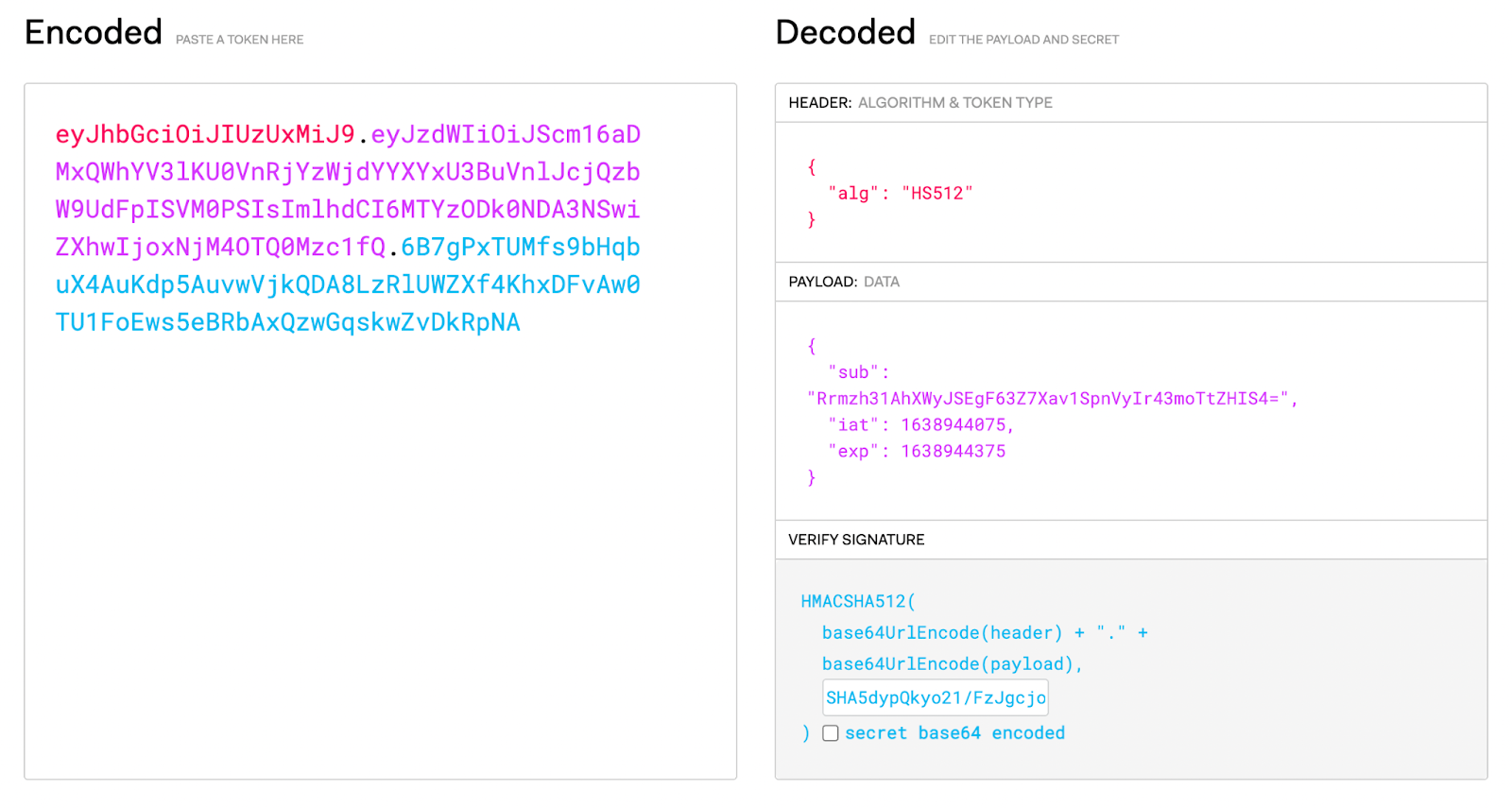
JWT Token Values
JWT Header
We use the HS512 algo, so the header is always
{
    "alg": "HS512"
}
JWT Payload
Following values are required in the payload
sub: the API Key
iat: current time in seconds (since EPOCH)
exp: token expiration time in seconds (since EPOCH). Maximum is 10 minutes from the current time. We recommend keeping it at 2-5 minutes from the current time value.
So a sample payload looks like
{
    "sub": "Rrmzh31AhXWyJSEgF63Z7Xav1SpnVyIr43moTtZHIS4=",
    "iat": "1638944075",
    "exp": "1638944375"
}
JWT Verify Signature
You need the API Secret to generate the Verify Signature. It is
HMACSHA512(
  base64UrlEncode(header) + "." +
  base64UrlEncode(payload),
  <your-API-secret>
)
Sample Javascript Code to generate the JWT Token
const CryptoJS = require("crypto-js");

function base64url(source) {
    // Encode in classical base64
    let encodedSource = CryptoJS.enc.Base64.stringify(source);

    // Remove padding equal characters
    encodedSource = encodedSource.replace(/=+$/, '');

    // Replace characters according to base64url specifications
    encodedSource = encodedSource.replace(/\+/g, '-');
    encodedSource = encodedSource.replace(/\//g, '_');

    return encodedSource;
}

let apiKey = "insert api_key here";
let apiSecret = "insert api_secret here";

const tokenHeader = {
    "alg": "HS512",
};

const stringifiedHeader = CryptoJS.enc.Utf8.parse(JSON.stringify(tokenHeader));
const encodedHeader = base64url(stringifiedHeader);

const tokenData = {
    "sub": apiKey,
    "iat": Math.round(Date.now()/1000),
    "exp": Math.round(Date.now()/1000+5*60)
}

const stringifiedData = CryptoJS.enc.Utf8.parse(JSON.stringify(tokenData));
const encodedData = base64url(stringifiedData);

const authToken = encodedHeader + "." + encodedData;

let signature = CryptoJS.HmacSHA512(authToken, apiSecret);
signature = base64url(signature);

const signedToken = authToken + "." + signature;

console.log("Bearer Token:", signedToken);
Using the JWT Token to make API calls
For all APIs, this token is passed in the Authorization header as follows
Authorization: Bearer <generated token>